
GearKeep CMMS
A CMMS your technicians actually use — from the machine to the boardroom
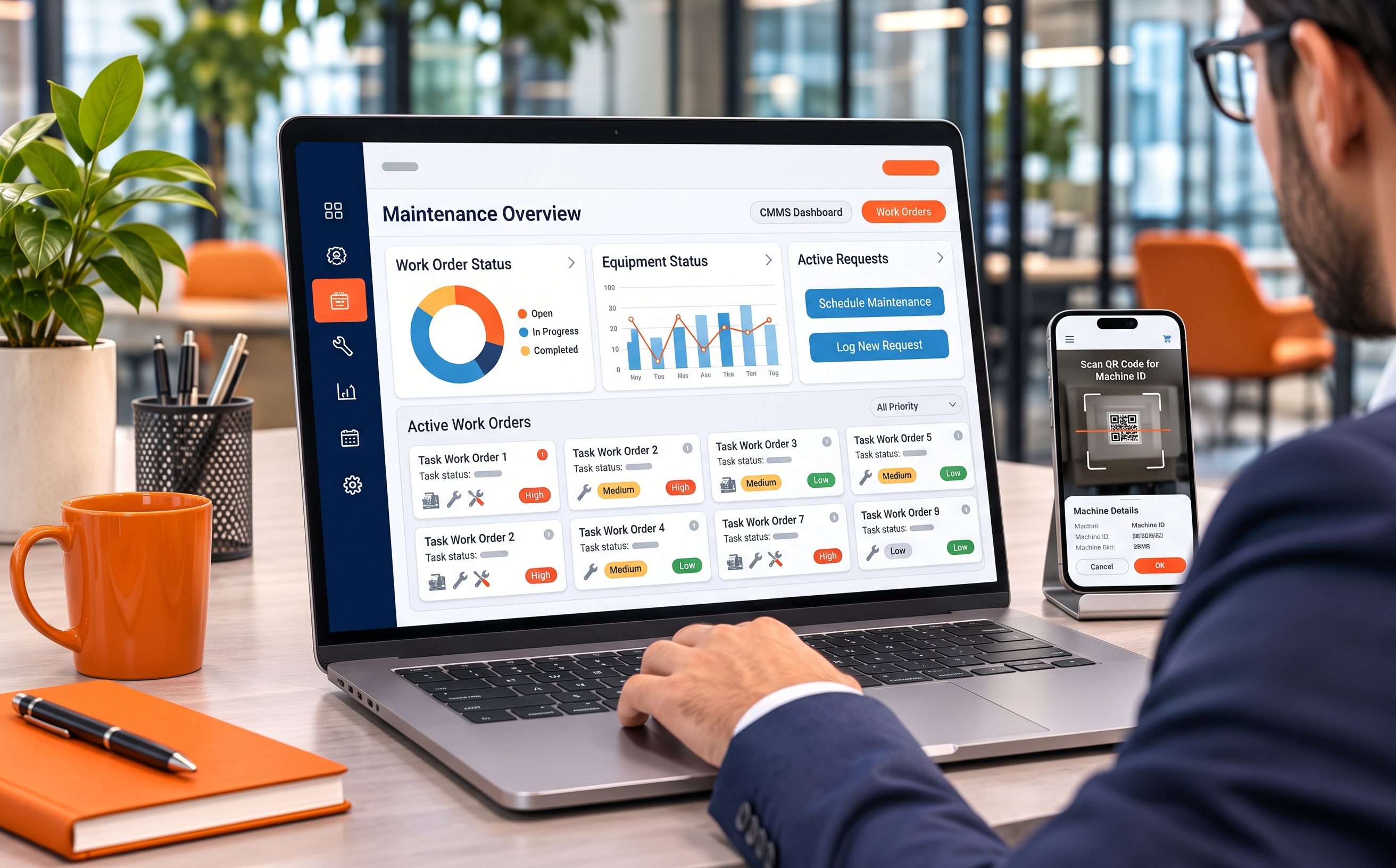
GearKeep brings problem reports, work orders, automatic preventive maintenance, QR-labeled assets, spare parts and purchasing into one system — technicians work on phones at the machine while management sees MTBF/MTTR and cost per asset from the same data.
- QR + PWAscan at the machine, work like an app
- Auto PMwork orders generated ahead by date or meter
- 11 reportsMTBF · MTTR · availability, Excel/PDF
- Multi-sitepermissions and data scoped per site
Everything a maintenance team needs in one place
Instead of chasing work through paper, chat and spreadsheets — everything from a problem report on the floor to the cost report lives in one system, deployed on your infrastructure.
Requests become a queue, nothing lost
Operators report with photos and a machine-stopped flag; supervisors approve into work orders or reject with a reason — no jobs buried in chat.
PM that works for you
Set a date or meter schedule once; the system generates work orders ahead of every due date and advances the next cycle when done.
Assets with QR labels
Site→area→machine→part tree, printable QR labels one or a sheet at a time — scan at the machine for full repair history and schedules.
A real mobile app
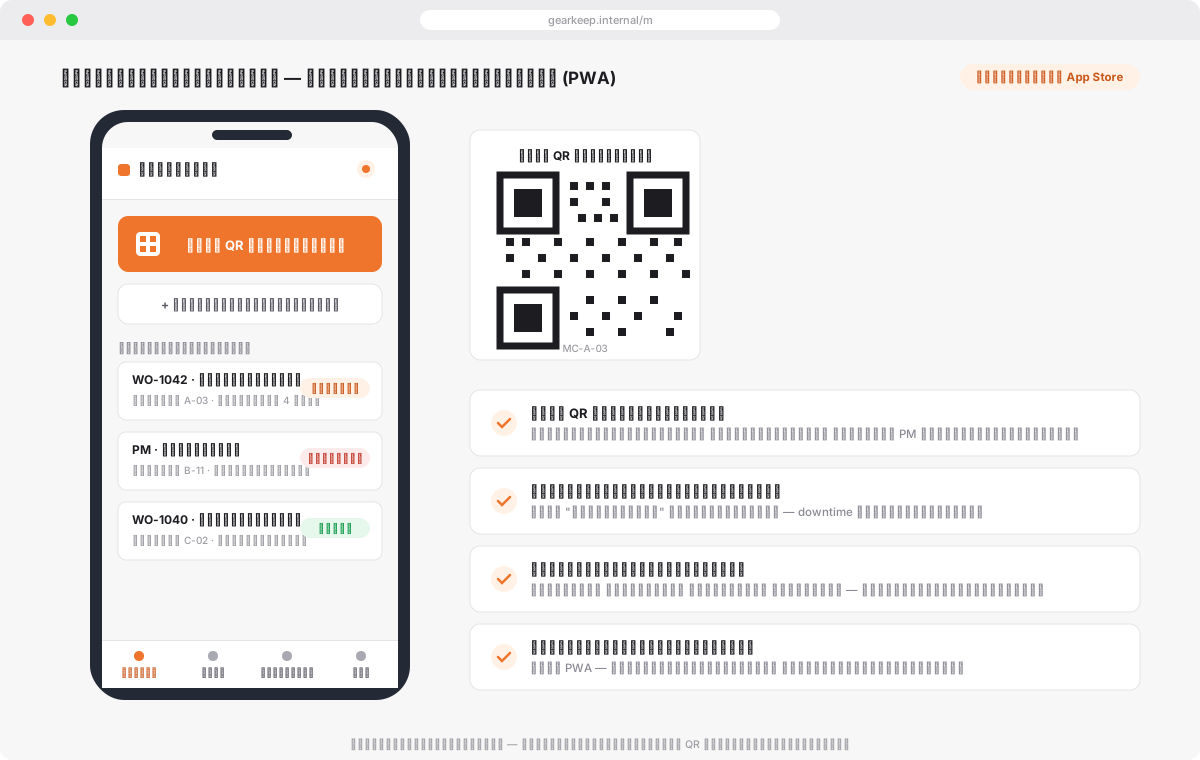
The /m view is built for phones: today's jobs, camera QR scanning, problem reporting, checklists and closing — installable as a PWA.
Parts and purchasing flow together
Issue parts against work orders, get low-stock alerts automatically, flow into request→order→receipt — stock and average cost update on every receipt.
Your system, your data
Deployed on your infrastructure, your choice of database, every edit audited, one-click ZIP backup, and a scoped API for integrations.
Work orders & problem reports
The heart of a CMMS — every job has an owner, a timer and evidence.
End-to-end work orders
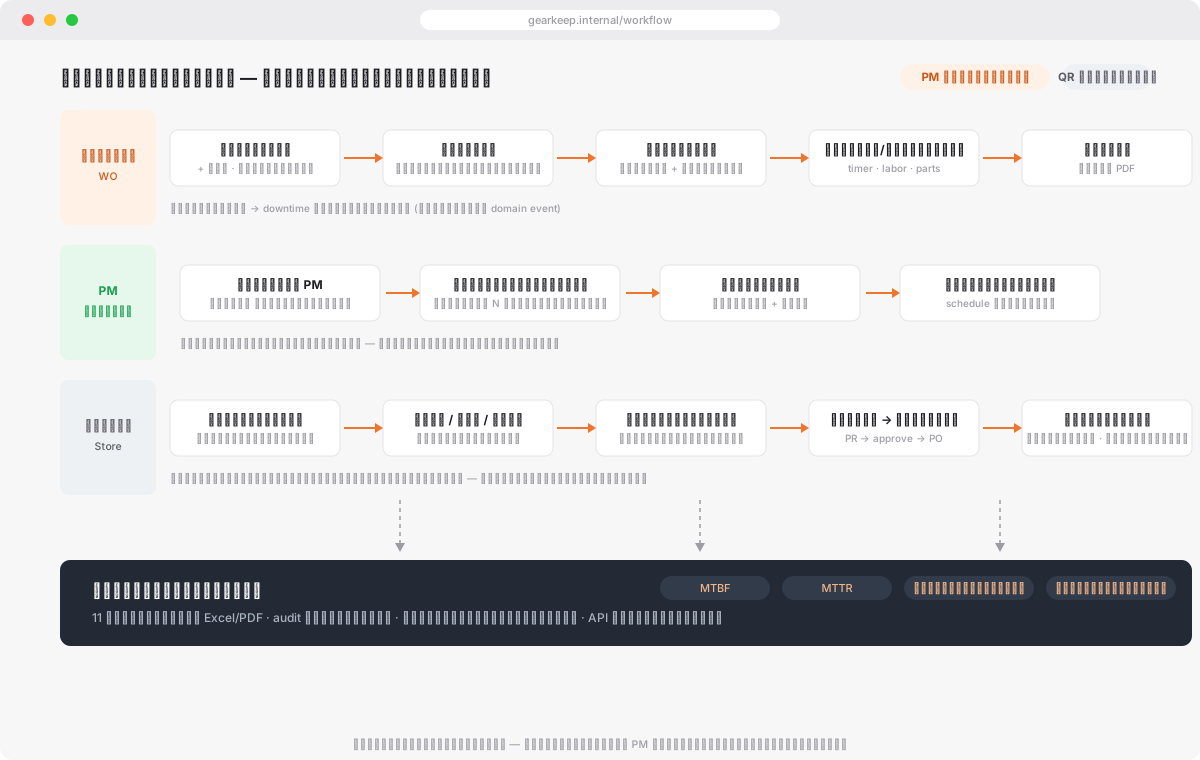
Clear status flow open→in progress→hold→done→closed, one running timer per user, checklists, parts issue/return, labor logging and PDF print.
Floor-level problem reports
Report with photos and a machine-stopped flag; approve into a work order or reject with a reason — every request has a trackable status.
Automatic downtime
A machine-stopped report starts the downtime clock automatically, with planned/unplanned causes, linked back to the work order.
Attachments and evidence
Attach before/after photos and documents to jobs and assets — evidence stays with the work it belongs to.
Assets & preventive maintenance
An asset registry that pulls its whole history together — one scan to everything.
Asset tree
Site→area→machine→part with tabs for work orders, downtime, schedules, parts, meter readings and files per machine.
QR labels from the system
Generate and print labels one or a sheet at a time; scanning a machine opens its record directly — no codes to remember.
PM by date or meter
Schedules with template checklists generate work orders ahead of due and advance automatically when completed.
Meter readings
Record machine meter values to drive PM scheduling and see the real workload of each asset.
Spare parts & purchasing
Parts never run out mid-breakdown — and you can see which machine the money went to.
Multi-store stock
Stock per store with full movement history for every issue, return and adjustment — issued straight against the work order.
Cross-store transfers & QR issue
Transfer parts between the main store and site sub-stores with approval steps and in-transit tracking — issue/receive/adjust on the floor via QR scan.
Reorder alerts
Set a minimum level per part and get notified when it runs low — no more jobs stalled waiting on a part.
Full purchasing cycle
Purchase request→approval→purchase order (draft→ordered→partly received→received)→goods receipt; stock and average cost update on every receipt.
Cost per asset and vendor
See which machine the parts and repair budget went to, and what you spend with each vendor.
Reports, permissions & platform
The same foundation as our enterprise systems — controllable at management level.
11 ready reports
Work orders by status/priority/type/technician, downtime per asset, MTBF, MTTR, availability vs target, stock value, parts usage and spend per vendor — Excel/PDF.
Dashboard & notifications
KPI page with charts, in-app and email notifications per event — each user can opt out individually.
17-area permissions
A permission matrix granting view/create/edit/delete/approve per work area, with data limited to each user's sites.
Control & integration
Audit trail on every save, sign-in and export, 10 settings sections, ZIP backup, and REST API keys scoped per site.
Roll it out with our team
We start from your machines and existing repair process — you don't have to change everything on day one.
Survey sites and machines
We capture the site-area-machine structure, spare parts lists and the work order forms you already use.
Configure the system
Asset registry with printed QR labels, PM schedules, reorder points and role-based permissions.
Pilot with the team
Technicians report problems and run work orders on their phones for real; we tune forms and reports to fit.
Deploy and support
Installed on your infrastructure, users trained, with ongoing support after handover.
Free scoping
Pricing depends on the number of sites, machines, users and the deployment model you need.
Tell us about your plant size and maintenance team and we will scope the work and pricing at no cost.
Want maintenance managed end to end?
Book a GearKeep demo or a free scoping session for your facility.
Contact us anndream.com@gmail.com